Choose the journey that fits your visit
Walk-in queues
Join for a haircut or another service. Follow your turn and return when called. The five steps below explain this journey.
Walk-in customer guideOrder collection
Already ordered and paid? Scan the collection QR at the venue, enter your receipt number and track when staff mark it ready.
Order tracking guideWalk-in queues: find a business or scan its QR code
Search by business name, suburb or city and open a participating venue. At the venue, scan its QueueFinder code to open its queue choices or a particular queue.
Choose a queue and join
Check the location and service, enter any required details and join when places are available. Join online where enabled, or scan the business’s QR code when you arrive. If online joining is switched off, you may still be able to join by scanning the venue’s QR code when you arrive. The queue must be open and have space available.
Follow your ticket while you wait
Keep track of your status and any displayed position or estimated wait. You can spend time nearby rather than standing in line, while allowing enough time to return.
Get ready to return
A “You’re next” alert asks you to get ready and confirm I’m coming. Return when asked and follow the venue’s stay-nearby guidance.
Alerts use browser notifications. Permission is asked once on first use.
Take your turn
When your ticket is called, the team is ready for you to come forward. Follow its instructions to take your turn. The team starts service when it begins and completes it when finished.
Follow your turn from your phone
Follow demo ticket A127 through the different stages of a queue visit.
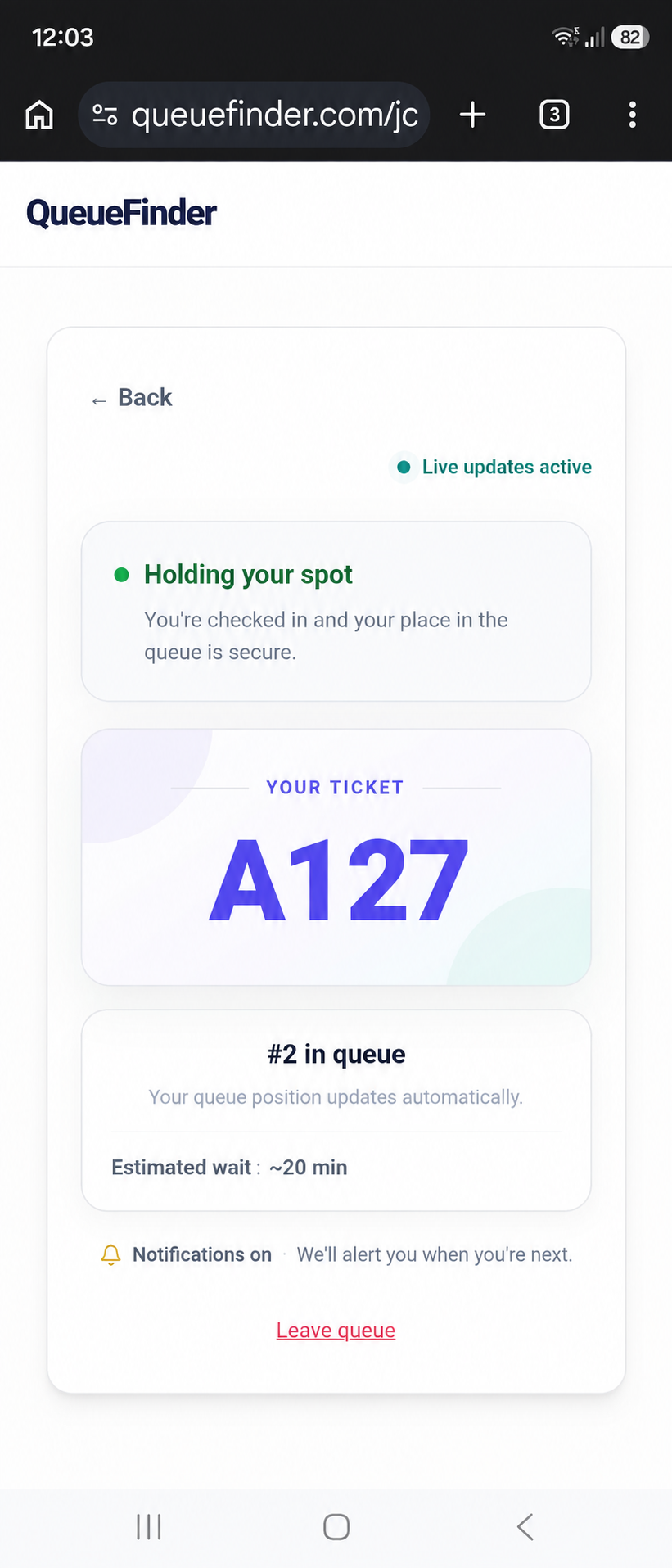
Your ticket shows your progress and any position or estimated wait the business shares.
Illustrative journey using demo data · Ticket numbers aligned to A127.Order collection: from receipt to pickup
1. Scan and track your order
Place your order and pay as usual. Scan the venue’s collection QR, enter the number exactly as printed on your receipt and enable alerts. Your registration appears on the staff dashboard.
2. Return when it is ready
Staff mark your matching ticket Ready for collection. Follow its instructions and show your receipt when asked.
If alerts are off, stay nearby and listen for your number.