Follow your turn from your phone
Follow demo ticket A127 through the different stages of a queue visit.
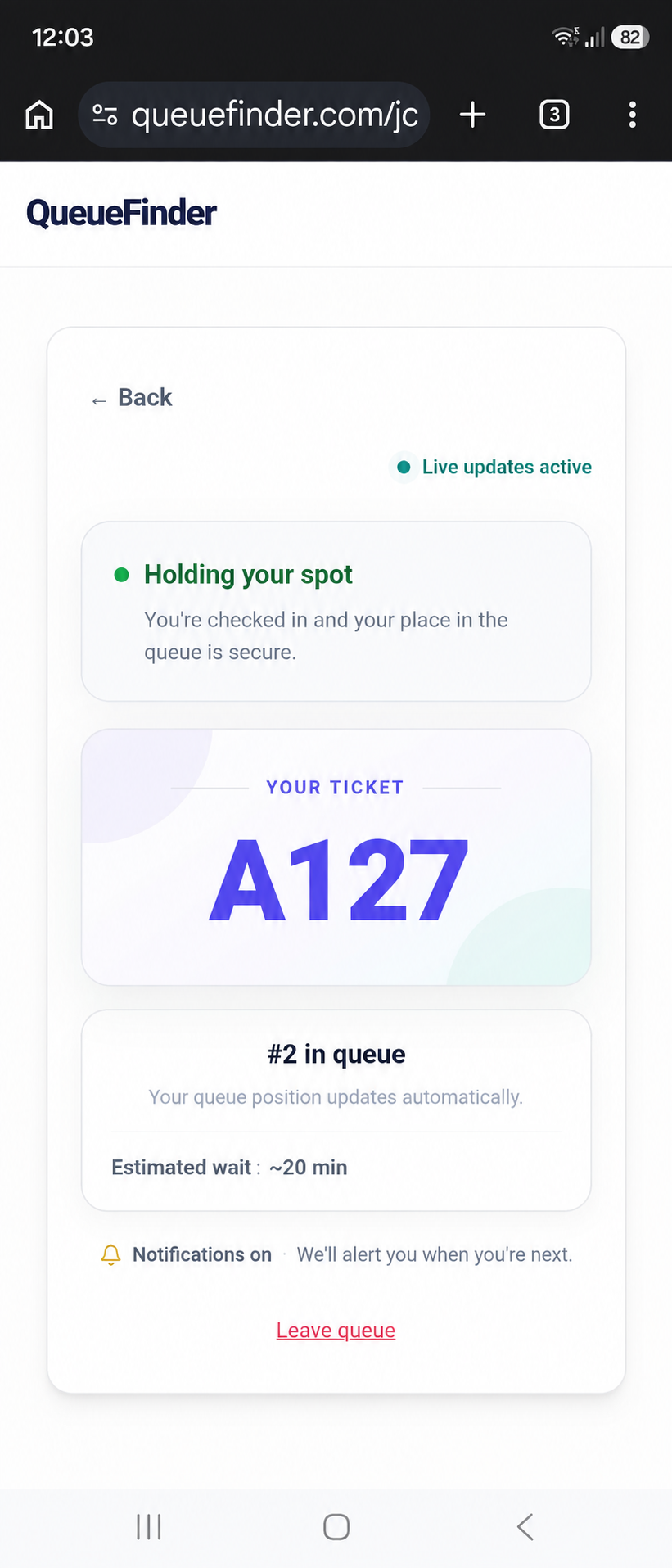
Your ticket shows your progress and any position or estimated wait the business shares.
Illustrative journey using demo data · Ticket numbers aligned to A127.Find your business or explore nearby
Search for a business, suburb or city. Discover participating venues and see the queue information they share, including approximate waits where enabled. Check the exact venue and service before joining.
Make more of your waiting time
Join online when the business allows it, or scan the QR code at the venue. Follow your ticket while you have a coffee or browse nearby shops. Stay nearby so you can return when asked.
Know when your turn is approaching
Turn on alerts from your ticket. When it says “You’re next,” tap “I’m coming” and head back. Follow the return instructions shown on your ticket.
Bring QueueFinder to your favourite place
Wish your favourite business offered more freedom while you wait? Find its listing and choose Request QueueFinder when available. Your request helps show where customers want QueueFinder next; it does not create a ticket or automatically enrol the business.
Waiting for food? Track your receipt number
At a participating takeaway business, place your order and pay as usual, then scan its collection QR and enter your receipt number. Enable alerts to hear when staff mark your order ready. Find a table or spend time nearby while keeping your ticket handy. Keep your receipt and check with staff if alerts are unavailable.
Join without creating an account
You do not need to create an account to join a queue. The venue may ask for your name or phone number. If you need assistance or cannot use a phone, ask staff about manual check-in.
Follow the instructions on your ticket and stay within easy returning distance. Walk-in estimates can change; collection tickets show when staff mark an order ready rather than a cooking-time estimate. Browser alerts need permission and device support.